
Google map and photos as a first responder turned realtor in Los Angeles
Skip to main contentSkip to main navigation menuAccessibility MenuEmail Me(661) 888-4983**(661)888-4983
**Facebook**Twitter**Instagram**YouTube
Google map and photos as a first responder turned realtor in Los Angeles
Connor “with Honor” MacIvor - October 6, 2024** Tags: [real estate](/-/Blog/tag/real estate), [google maps](/-/Blog/tag/google maps), images, [connor with honor](/-/Blog/tag/connor with honor) ** 0 Comments | Add Comment
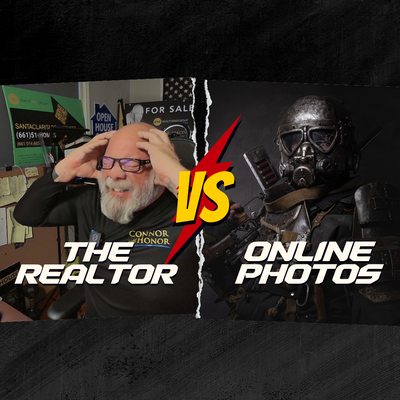 How to Remove Your Home Images from Google Maps and Google Street View: A Simple Step-by-Step Guide
In today’s world, privacy is becoming harder to maintain, especially with tools like Google Maps and Google Street View offering detailed images of our homes to anyone with an internet connection. While these tools are useful for many things, they can also pose security risks if photos of your home reveal too much information, such as entrances, windows, or other vulnerabilities. Fortunately, Google provides a way to request the removal or blurring of these images.
As someone who spent years taking crime reports before the days of Google, I can tell you that things have changed dramatically. Back then, people didn’t have to worry about their home layout being readily available on the internet. In fact, during those early days, burglars and other criminals had to physically scout neighborhoods, often driving around or posing as service workers to get a sense of a home’s vulnerability. But today, the game has changed. Google Maps and Street View have made it easier for anyone to get an up-close look at your home without even stepping foot in your neighborhood. Fortunately, there are steps you can take to protect yourself.
Step 1: Open Google Maps
Step 2: Find Your Home on Google Maps
Step 3: Enter Street View
Step 4: Navigate to the Image You Want to Blur
Step 5: Request to Blur the Image
Step 6: Provide Additional Information
Step 7: Verify the CAPTCHA
Step 8: Submit the Request
Step 9: Follow Up
A Look Back: Crime Reports Before Google Maps
In my years as a first responder, I remember taking crime reports before Google Maps even existed. Back then, criminals had to spend time and effort canvassing neighborhoods in person. They might pose as workers or salespeople, checking to see which homes were vulnerable. They’d look for details like which doors were hidden from view or whether windows were easily accessible. As law enforcement, we advised homeowners to secure entry points and be aware of unfamiliar visitors. Today, however, criminals don’t need to drive around neighborhoods to gather this kind of information. With Google Maps and Street View, they can potentially plan a break-in just by looking at your home online.
That’s why it’s crucial to protect yourself by making sure sensitive information about your property—like the layout of doors, windows, and gates—doesn’t end up in the wrong hands. The steps outlined here will help you do that by removing your home from the public eye on Google Maps.
Important Notes:
Additional Tip: How to Remove Your Home Address from Google Maps
If your home address is saved in Google Maps (e.g., under “Your Places”), you can also remove it to add an extra layer of privacy. Here’s how to do it on a smartphone:
Wrapping Up: Take Control of Your Privacy
Taking control of your privacy online is more important than ever. By following these steps, you can ensure that sensitive images of your home are no longer available to the public through Google’s services. While the process may take some time, it’s well worth the peace of mind knowing that your home is protected from unwanted attention.
If you have any questions or need further assistance with managing your online presence as a homeowner, feel free to reach out!
About Connor with Honor
I’m Connor with Honor, a first responder turned realtor. Having spent decades in law enforcement, I know the importance of protecting not just your property, but your privacy. As a realtor, I’m here to help you navigate the Santa Clarita real estate market with security and peace of mind at the forefront of every decision. Feel free to reach out to me with any questions about real estate, privacy, or your next move.
As a former LAPD officer turned realtor, I’ve spent decades understanding the importance of safety and security, not just on the streets but in our homes. Today, as I navigate the world of real estate in Los Angeles and Santa Clarita, I bring that same vigilance to protecting my clients.
When I list or sell homes, my job isn’t over once the deal closes. I make sure that my clients stay protected long after the sale. One critical way I do this is by helping buyers and sellers remove photos of their homes from online platforms like Google Maps and Google Street View.
For my sellers, after their listing has run its course and the property is sold, I ensure that any revealing images of the home—such as entry points, doors, or windows—are removed from online maps. This reduces the chance of any future security vulnerabilities. For my buyers, the same principle applies. Once they’ve settled into their new home, I help them secure their privacy by guiding them through the steps of removing online images.
With a background in law enforcement, I understand the importance of leaving no stone unturned when it comes to personal safety. Whether you’re buying or selling, I’m not just your realtor—I’m your partner in keeping your home and family secure.
Keeping You Safe, From Patrol to Property: Removing Your Home’s Image from Google Maps
As a former LAPD officer turned realtor, my focus has always been on keeping people safe. When I was on patrol, safety meant preventing physical threats and crime in the streets of Los Angeles. Today, in the world of real estate, safety means something a little different—but equally important: protecting your privacy, especially in the digital age.
One thing many new homeowners don’t consider after buying their dream home is the fact that their property may be visible on public platforms like Google Maps, Google Street View, and various real estate listing websites. These images, while helpful during the buying process, can pose a security risk long after the sale is completed. Criminals no longer need to drive through a neighborhood to scout homes; they can see everything they need from the comfort of their screens.
But don’t worry—there are ways to protect yourself. Just as I worked to keep people safe as a cop, I now ensure my clients’ safety by helping them remove or blur images of their homes from online platforms.
Why Does This Matter?
Back when I was taking crime reports as an LAPD officer, we didn’t have tools like Google Maps or Street View. Criminals who wanted to target a specific home had to put in effort—they had to drive through the neighborhood, check out the property, and figure out which doors or windows might provide easy access. But now, with a few clicks, they can pull up a photo of your home, study the layout, and potentially even find ways to bypass security. That’s why protecting your home online is so important.
How to Remove Your Home’s Image from Google Maps and Street View
After you’ve bought a home, you might want to remove any images of your property from Google Maps and Google Street View. Here’s a detailed step-by-step guide on how to do it:
Removing Real Estate Photos from Online Listings
In addition to Google Maps, many real estate listing websites keep photos of your home long after the sale is finalized. These photos often include detailed images of bedrooms, kitchens, and even exterior views that can give away too much about your property. As part of my service, I help clients—whether they’re buyers or sellers—remove these images from online syndication systems.
Why Does This Matter for You?
Let’s face it: in today’s world, we’re constantly being watched and tracked. Every device we own seems to listen in on our conversations, and information is traded online faster than we can keep up. When you buy a home, the last thing you want is to have your private space exposed to potential risks. While removing your home’s image from Google Maps and real estate websites won’t make you invisible, it’s a critical step in slowing down anyone who might want to take advantage of your vulnerability.
The Bottom Line: Protecting Your Privacy Is My Priority
As your realtor and a former first responder, I don’t just help you buy or sell homes—I help protect your most valuable asset: your peace of mind. Whether you’re moving into a new neighborhood or leaving one, my job isn’t over until I know you’re safe and secure. That includes getting your home’s image removed from the public domain, making sure your private space stays private.
If you have any questions about removing your home from Google Maps or other online platforms, don’t hesitate to reach out. I’m here to help you navigate the world of real estate and keep your personal information secure.
About Connor with Honor
I’m Connor with Honor, a first responder turned realtor serving the Santa Clarita and Los Angeles areas. With a background in law enforcement, I bring a unique perspective to real estate, always keeping safety and security at the forefront of everything I do. Whether you’re buying, selling, or just seeking advice on how to protect your property, I’m here to help.
New Podcast Episodes: Keeping Your Home Safe Online
As a former LAPD officer turned realtor, I’ve seen firsthand how critical it is to protect not just yourself, but your home. In today’s digital age, it’s not just about locking your doors—it’s about controlling what personal information is shared online. If you’ve just bought a home, there’s a good chance that photos of your property are still floating around on platforms like Google Maps or real estate listing sites. These images may show the layout of your home, entry points, or even your security features.
But don’t worry, I’ve got you covered!
In my latest podcast episodes, I break down exactly how to remove those images and safeguard your privacy:
Episode 1: Removing Your Home’s Photos from Google Maps and Real Estate Listings
In this episode, I explain why it’s important to take down online images of your home after a real estate transaction, whether you’re the buyer or the seller. I also give you a step-by-step guide on how to remove your home from Google Maps and Street View to protect your privacy. Trust me, you don’t want the world to see more than they should.
Listen now at:
Episode 2: Photo Removal of Your Home After You Buy It – First Responder Turned Realtor
As a first responder turned realtor, I know that protecting your property isn’t just about physical locks and alarms—it’s about managing your digital footprint, too. In this episode, I dive into the process of removing photos from real estate listing sites and Google Maps to ensure your safety long after the deal is done.
Check out the full episode here:
Why is this so important?
When you buy a new home, you might not realize that many of the photos taken for listings can stay online for months—or even years—after you move in. These images often show detailed views of your home’s interior, layout, and entry points. For security-conscious people like me, that’s a red flag.
As someone who spent years taking crime reports with the LAPD, I know that criminals use every advantage they can get, and the internet has made it easier for them to access information. Back in my patrol days, criminals had to physically case a house. Today, they just need a computer screen and a few clicks to study your home. That’s why it’s critical to remove those images.
In these episodes, I’m sharing everything you need to know to protect your privacy, from keeping images of your home off public websites to making sure your online footprint is minimized.
Protect Your Home and Family Today!
If you’re buying or selling a home in Santa Clarita or Los Angeles, or just want to learn more about securing your home’s online presence, make sure to check out both episodes. I’ll walk you through the steps and explain the risks—and how to avoid them.
Keeping your privacy protected is something I take seriously, whether I’m helping you buy, sell, or remove your home from public view online.
Connor with Honor
** Share This Post## Comments
Already have an account? Yes NoLog In and Post CommentProtected by reCAPTCHA. Privacy • Terms
Explore
Connect
**Facebook**Twitter**Instagram**YouTube
🤝
Full Transparency
Yes, I earn referral fees when you work with agents I recommend. But unlike national platforms like Zillow or Realtor.com, I personally know and vet every single agent in my network of 17 trusted professionals.
My recommendations are based on YOUR specific needs and the complexity of your situation—not who pays the highest referral fee. I live in Santa Clarita Valley, and my reputation in this community depends on your success. Local accountability matters.



Ready to sell with a deliberate strategy?
Get seller-focused guidance built around your timeline, equity goals, and negotiation leverage.